
Fisher-Price™ Play & Learn
AppQuizEducational
4.627.00 Reviews
- Version
- 0.8.9
- Installs
- 100.00K
- Age Rating
- Everyone
Screenshots
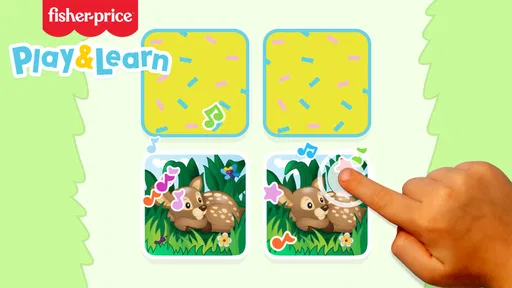
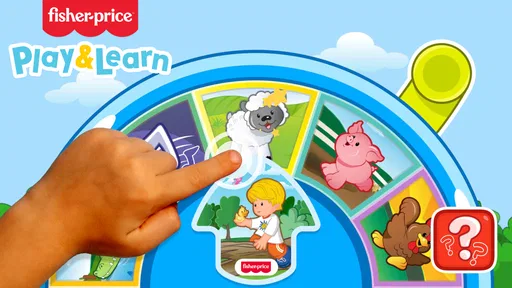
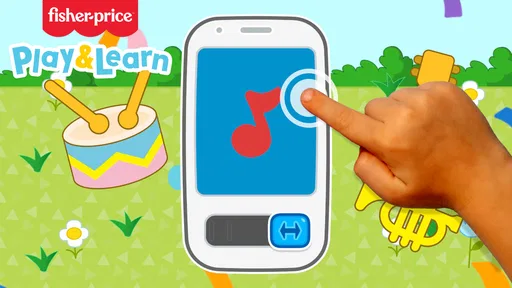
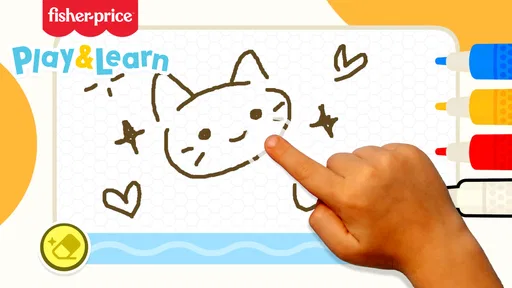

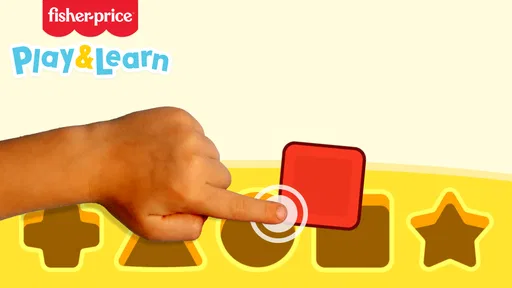
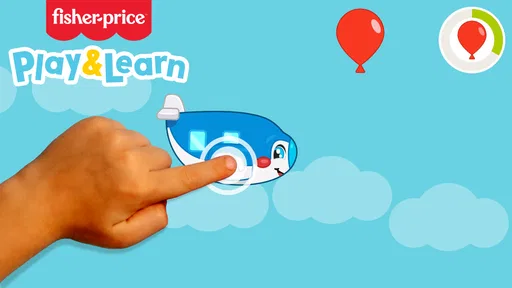
Our Review of Fisher-Price™ Play & Learn
 Analysis by Appyee
I approached Fisher-Price™ Play & Learn expecting a simple children’s game, and that is exactly where its appeal begins. It is an educational game from AppQuiz built around the familiar Fisher-Price identity, with a friendly presentation that feels made for short, low-pressure play sessions rather than demanding competition. After spending time with it, I see it as a gentle option for parents who want to introduce a young child to interactive learning without turning every minute on a phone or tablet into a formal lesson.
The first impression is especially important with a children’s title, because a confusing opening can lose a child before learning even starts. Here, the overall direction feels approachable. The visual language is bright and reassuring, while the pace is easy to follow. I never felt that the game was trying to overwhelm me with menus, dense instructions, or an unnecessarily busy interface. That simplicity is one of its strongest qualities, although it also means older children may find the experience limited sooner than they would with a more advanced educational platform.
The game is free to download, carries an Everyone age rating, and has passed the early adoption stage with over one hundred thousand installs. Its average score is 4.6 from roughly one thousand ratings, which gives a useful indication that families are responding positively to the concept. I would still treat those figures as a starting point rather than a substitute for considering your child’s age, attention span, and tolerance for repetition.
A friendly world built for early discovery
The strongest part of the presentation is its consistency. Fisher-Price products are generally associated with recognizable shapes, cheerful colors, and an uncomplicated sense of play, and that identity carries naturally into this game. The setting does not appear designed to impress older players with elaborate lore. Instead, it creates a comfortable space where a child can look, tap, listen, and try again without feeling punished for making a mistake.
That choice matters more than it may seem. In an educational game for young children, art direction has to do several jobs at once. It must attract attention, show what can be interacted with, and avoid making the screen so busy that the important action disappears. The visual approach here works best when it guides a child toward one clear task at a time. I found that more useful than a complicated background full of decorative objects that might compete for attention.
The world also benefits from not taking itself too seriously. There is a playful softness to the presentation, but it does not feel like the game is trying to imitate a competitive arcade title. That gives parents a practical advantage: the app can fit into a quiet part of the day, such as a short activity after breakfast or while waiting for an appointment, without encouraging the same intensity as a fast action game.
For a child who is still learning how touchscreens respond, this kind of setting can make experimentation feel safe. A tap becomes an invitation to see what happens, not a test that must be passed immediately. I consider that one of the less obvious strengths of the game. Its value is not only in the educational label; it is also in helping a young player become comfortable with the basic relationship between an action and an on-screen response.
How the visual language supports play
The artwork communicates through recognition rather than explanation. Familiar-looking objects and characters can help a child understand the intended mood before an adult has finished describing the activity. That makes it easier to sit beside a child and offer a brief prompt such as “try touching that” instead of giving a long set of instructions.
I would not describe the presentation as visually deep, and that is deliberate. Children who want detailed exploration, character customization, or a large world to investigate may eventually ask for more. The game’s art direction is better suited to a child who benefits from clear signals and repeated routines. In that context, restraint is more valuable than visual variety for its own sake.
One useful way to play is to let the child lead for a few minutes before stepping in. Rather than immediately explaining every possible interaction, I would watch which colors, sounds, or objects attract attention. This turns the app into a small observation exercise. You can then use the child’s interest as a starting point for conversation away from the screen, which makes the learning feel less isolated from ordinary family life.
Sound, rhythm, and the feeling of progress
Sound plays an important role in making a children’s game understandable. In this case, audio helps give the screen a sense of response. A child may not yet read instructions, but a sound can still communicate that an action was noticed. That immediate feedback supports the basic rhythm of learning: try something, receive a response, and decide whether to try again.
I particularly like the way a gentle pace can reduce pressure. The game is not at its best when treated as a race. Its mood is more successful when a child has time to notice what happened and repeat an action for pleasure or confidence. That makes it a reasonable fit for a parent who wants an activity that feels calmer than many brightly colored mobile games, where constant movement and rapid rewards can make it difficult for a child to settle.
There is a trade-off, though. Repetition is useful for early learning, but the same repeated sounds can become tiring for adults who hear the activity many times in succession. My practical advice is to use short sessions and keep the device volume at a comfortable level. If the child is working through the same interaction repeatedly, a parent can also turn the activity into a spoken game by naming colors, objects, or actions rather than relying entirely on the app’s audio.
This is one area where the game differs from a traditional picture book. A book gives a child room to invent a response, while an interactive app provides a more immediate loop between touch and sound. Neither is automatically better. I would use this game when I want participation and feedback, then switch to a book when I want slower conversation, imagination, or shared storytelling.
Why pacing matters more than complexity here
The pacing creates a coherent mood because it keeps the focus on small moments of discovery. There is no need for a child to understand a complicated objective before beginning. That lowers the entry barrier, especially for a first-time user who may simply tap around to see what reacts.
At the same time, parents should not mistake calm pacing for unlimited depth. A child who already recognizes basic concepts quickly may need another activity alongside this one. I would think of it as one tool in a larger routine, not a complete substitute for hands-on play, conversation, drawing, building, or reading.
A realistic use case would be a short transition period before leaving home. I might give a child a few minutes with the game while preparing a bag, then ask what they noticed and move on to a physical activity. That approach preserves the app’s gentle mood and avoids turning it into a long, unattended session. It also gives the child a chance to connect the digital interaction with language and movement in the real world.
Where the mechanics fit—and where they do not
The mechanics are most effective when they remain easy to understand. A young child should be able to learn through doing rather than stopping repeatedly to ask an adult what a button means. That makes the game approachable for families who want a first educational app with a low learning curve.
My main mechanical criticism is the same quality that makes the game welcoming: simplicity can reduce long-term challenge. Children develop at different speeds, so an activity that feels perfectly paced for one child may feel too basic for another. If your child wants puzzles with multiple steps, stronger progression, or a clear sense of mastery over increasingly difficult tasks, a dedicated learning platform may be a better next choice.
The game also works best with an adult nearby, especially at the beginning. I would not assume that a child will automatically understand the educational purpose of each interaction. A parent can add much more value by asking simple questions, encouraging the child to describe what they see, and connecting the activity to objects at home. For example, after a color-focused interaction, you could ask the child to find something similar in the room. That turns a tap-based response into a small offline challenge.
Another practical insight is to avoid presenting the app as a reward for finishing every other task. If it becomes the only highly attractive part of the routine, the child may focus on access rather than discovery. I prefer framing it as one option among several: a few minutes of digital play, followed by blocks, music, drawing, or a walk. The game’s relaxed design supports that balanced use better than a title built around constant competition.
The free entry point makes it easy to test whether the style suits your family. There are in-app purchases ranging from less than a dollar to nearly sixty dollars per item, so I would review purchase controls before handing the device to a child. The presence of optional spending does not automatically make the game unsuitable, but it is an important part of the household setup. A parent should be clear about which content is available without payment and should avoid letting a young child manage purchases independently.
On the technical side, the game runs on devices using Android 7.1 or later. That is helpful for families with an older compatible phone or tablet, although performance and screen size can still affect comfort. A larger display may make shared play easier, while a small phone can encourage close, solitary use. I would choose the device based on how you plan to play: together at a table, or briefly while traveling.
Who will get the most from it
I think the best audience is a young child who enjoys bright, recognizable presentation and learns well through repetition. It is also a sensible option for a parent looking for a low-pressure introduction to educational games, particularly when the goal is to encourage curiosity rather than measure performance.
It may be less suitable for children who quickly lose interest unless an app offers a strong progression system. It is also not the choice I would make for a child seeking competitive play, complex puzzles, open-ended construction, or a long adventure. Those needs call for different kinds of games, even if they are also labeled educational.
Compared with a standard alphabet, number, or puzzle app, this title’s distinctive advantage is its branded sense of comfort and its emphasis on playful discovery. A more academic alternative may offer clearer lessons and more structured advancement. A physical toy may provide better tactile development and social interaction. A picture book may encourage richer language. I see this game fitting between those options: more responsive than a passive screen, but not a replacement for real-world play.
Version, trust, and everyday usability
The current version is 0.8.9, and the game was released on April 1, 2025. I mention that because parents sometimes expect a children’s app to feel completely finished and expansive from the first session. This one is better judged as a focused play experience than as a huge educational library. Its appeal comes from clarity and mood, not from offering every possible subject or activity.
AppQuiz is the developer behind the game, while Fisher-Price provides the identity that shapes the presentation. For me, that combination sets a particular expectation: the app should feel approachable and child-centered before it feels technically ambitious. It largely meets that expectation, provided you accept that a familiar visual style cannot by itself guarantee unlimited replay value.
I would also pay attention to how your child responds after the novelty wears off. During the first sessions, the colors and sounds may be enough to encourage exploration. Later, the deciding factor will be whether the child still finds the interactions meaningful. If interest fades, that does not necessarily mean the app failed. It may simply mean the child has taken what they need from this level of activity and is ready for a different challenge.
For shared use, I recommend sitting close enough to notice whether the child is tapping deliberately or simply repeating the same action for the sound. That distinction can guide your next step. If the child is exploring, give them space. If they are stuck, offer one small hint instead of taking over. If they are only chasing the feedback, connect the interaction to a question or physical object outside the app.
My atmosphere verdict
Fisher-Price™ Play & Learn succeeds because its art direction, sound, setting, and pacing all point in the same direction: calm, cheerful discovery for young children. The mechanics stay visible rather than being hidden behind a complicated presentation, and that makes the first contact easy. I appreciate that it does not need a dramatic story or intense reward structure to create a playable mood.
My recommendation is strongest for families who want a short educational activity with a friendly visual identity and simple interactions. Use it alongside books, physical toys, conversation, and outdoor play, and it can become a useful part of a balanced routine. I would skip it if you are specifically looking for advanced lessons, deep progression, or a game that will challenge an older child for months.
The most effective way to use it is not to leave it responsible for learning on its own. Sit with your child at least at the start, notice what attracts their attention, and turn the screen’s responses into a conversation. That small change transforms a basic tap-and-react experience into something more personal and memorable.
Overall, I find it easy to recommend as a gentle first step into educational mobile games. It is free to try, suitable for Everyone, and focused enough to avoid overwhelming a young player. Its limits are real, particularly for children who need more complexity, but within its intended mood and pace, the game feels coherent, welcoming, and thoughtfully suited to brief moments of shared discovery.
Verdict
Strengths of Fisher-Price™ Play & Learn
- Simple activities are suitable for toddlers and preschoolers.
- Bright visuals and familiar characters make the app inviting.
- Touch-based controls are easy for young children to understand.
- Activities can encourage early counting, colors, shapes, and coordination.
- Designed for short, independent play sessions.
Limitations of Fisher-Price™ Play & Learn
- Some activities may feel repetitive after extended use.
- The app may be too basic for older preschoolers.
- Requires a compatible device and sufficient storage space.
- Young children may need help navigating between activities.
- Availability and features can vary by region or device.
Other Releases by AppQuiz
View All
Dentist games
Educational4.5

Baby Balloons pop
Educational4.4
Similar Picks in This Category
View All
Little Panda Policeman
BabyBus4.0

Monster Trucks Game for Kids 2
Raz Games4.1

Little Panda's Chinese Recipes
BabyBus4.4

Little Panda's Restaurant
BabyBus4.4

Little Panda's Ice Cream Games
BabyBus4.3

Baby Panda Care
BabyBus3.8
Frequently Asked Questions
What is Fisher-Price™ Play & Learn?
Fisher-Price™ Play & Learn is an educational app designed for young children and preschoolers. It offers simple interactive activities, playful sounds, music, and learning exercises inspired by Fisher-Price toys. Depending on the available version and device, children may practice early skills such as recognizing colors, numbers, shapes, letters, animals, and basic problem-solving in a colorful, child-friendly environment.
What age group is Fisher-Price™ Play & Learn suitable for?
The app is generally aimed at toddlers and preschool-aged children, although the exact recommended age may vary by version, region, and app-store listing. Activities are designed to be easy to understand, with large buttons and straightforward interactions. Parents should review the current age rating and content description before downloading, especially if the app will be used by a child who is outside the intended developmental range.
Does Fisher-Price™ Play & Learn require an internet connection?
Many activities may work after the app has been installed, but an internet connection can be required for downloading the application, receiving updates, restoring purchases, or accessing certain content. Availability may also depend on the specific edition of Fisher-Price™ Play & Learn. For travel or offline use, parents should open the app beforehand and test the activities while connected to confirm which features remain accessible without Wi-Fi or mobile data.
Is Fisher-Price™ Play & Learn safe for children to use?
The app is created for children and typically uses simple navigation, bright visuals, and age-appropriate educational content. However, parents should still supervise initial use, check the privacy and parental-control settings, and confirm whether the current version includes advertisements, external links, analytics, or optional purchases. It is also wise to enable device-level restrictions so children cannot accidentally leave the app or access unrelated content.
Is Fisher-Price™ Play & Learn free to download and does it include in-app purchases?
Pricing and purchase options can differ depending on the platform, country, and version of the application. Some editions may be free, while others may include paid content, optional upgrades, or features connected to Fisher-Price products. Before downloading, check the Google Play or App Store listing for the latest price, in-app purchase information, advertising details, and subscription terms, then configure purchase restrictions on the child’s device.
Play our best games!


